How to know the WiFi password using cmd: by Ikenna Obi
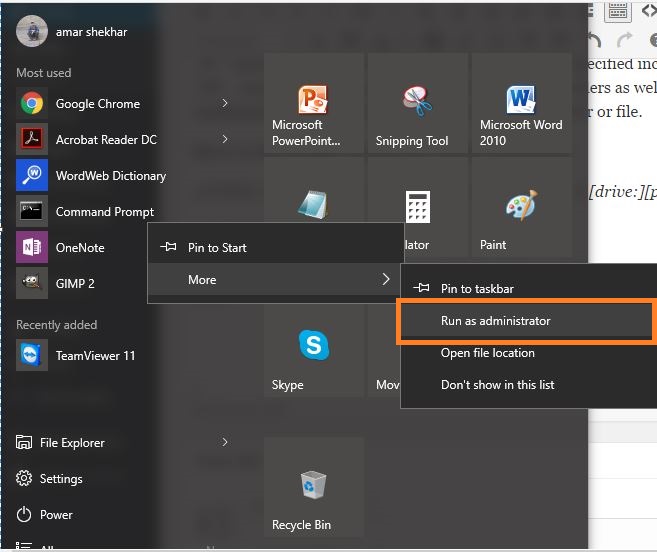
- Open the command prompt and run it as administrator.
- In the next step, we want to know about all the profiles that are stored in our computer. So, type the following command in the cmd:
netsh wlan show profile
This command will list out all the WiFi profiles that you have ever connected to.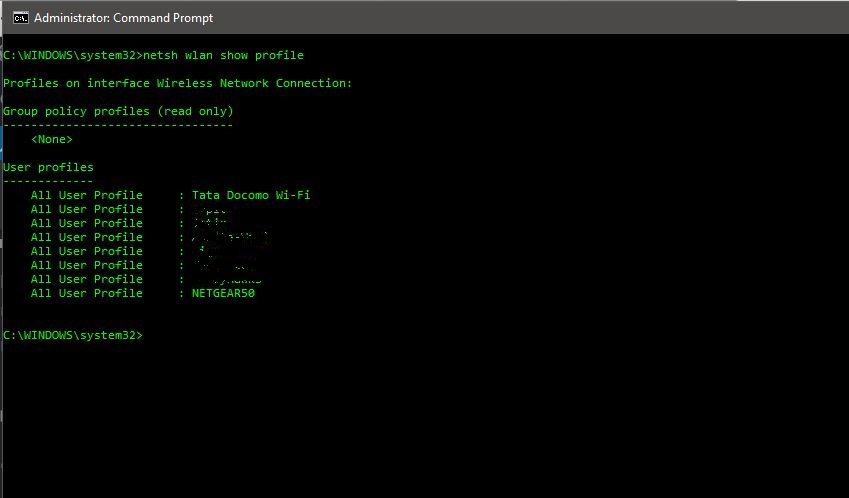
Want to learn Wi-Fi hacking? Get started here.
- Type the following command to see the password of any WiFi network:
netsh wlan show profile WiFi-name key=clear
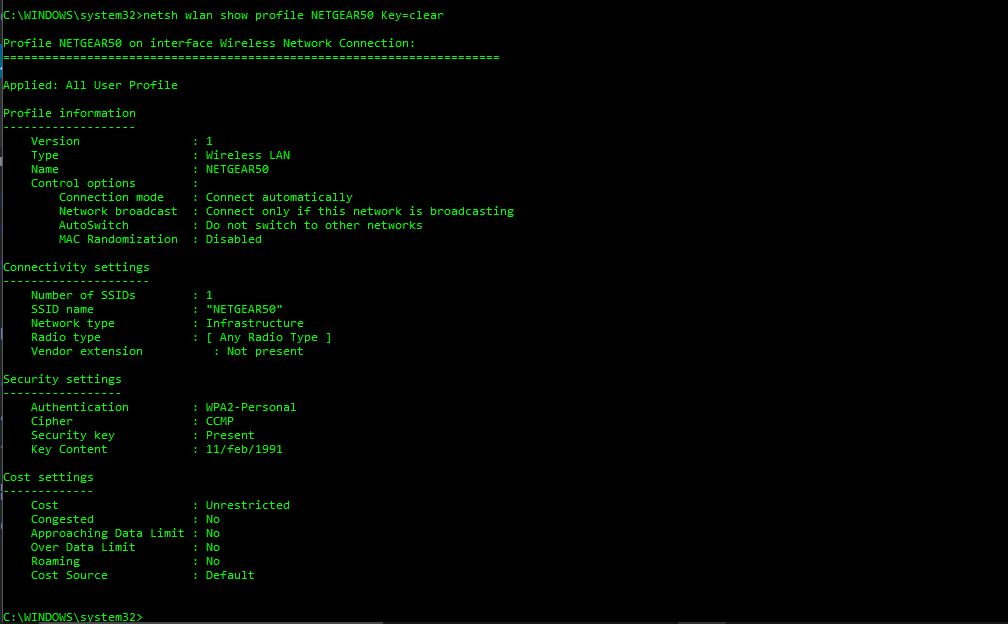
- Under the security settings, in the ‘key content’, you see the WiFi password of that particular network.
Here is how to turn on mac randomization on Windows 10:
- Go to settings and click on ‘Network & internet’
- Choose the ‘WiFi’ in the left pane and click on the advanced option.
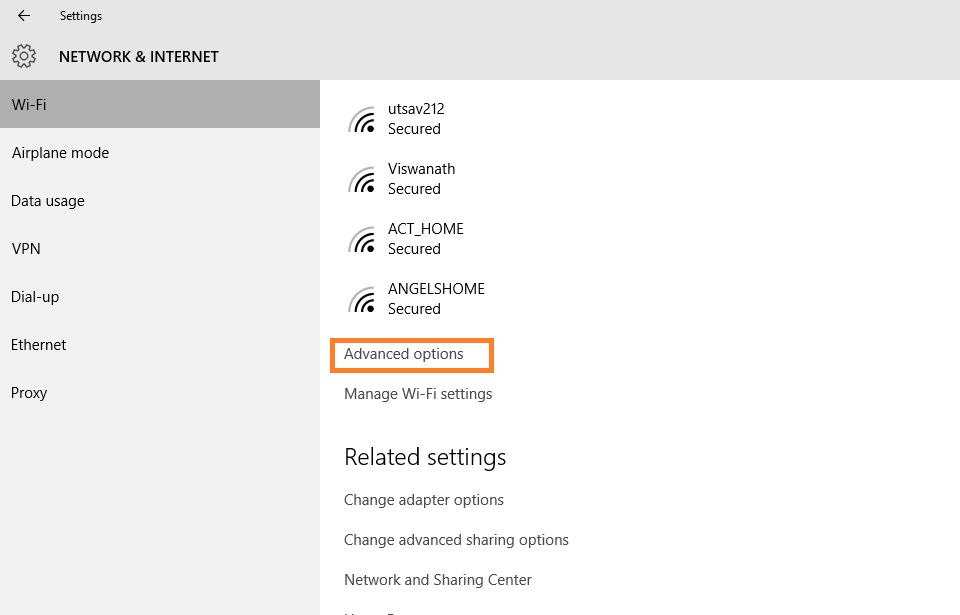
- Turn on the ‘Random Hardware Address’ feature under this settings. If your wireless hardware does not support this feature, the “Random Hardware Addresses” section will not show up at all in the settings app.
- Once you have turned this on, you are done.
As far as radio type is concerned, you can also change that in your router for a better connection or connectivity. For this purpose, we have a dedicated article on to increase WiFi speed by choosing correct WiFi channel.
If you are also aware of some more tricks and tweaks like this, please put them in the comment below. We would be happy to feature some of those in our next articles.

Comments
Post a Comment